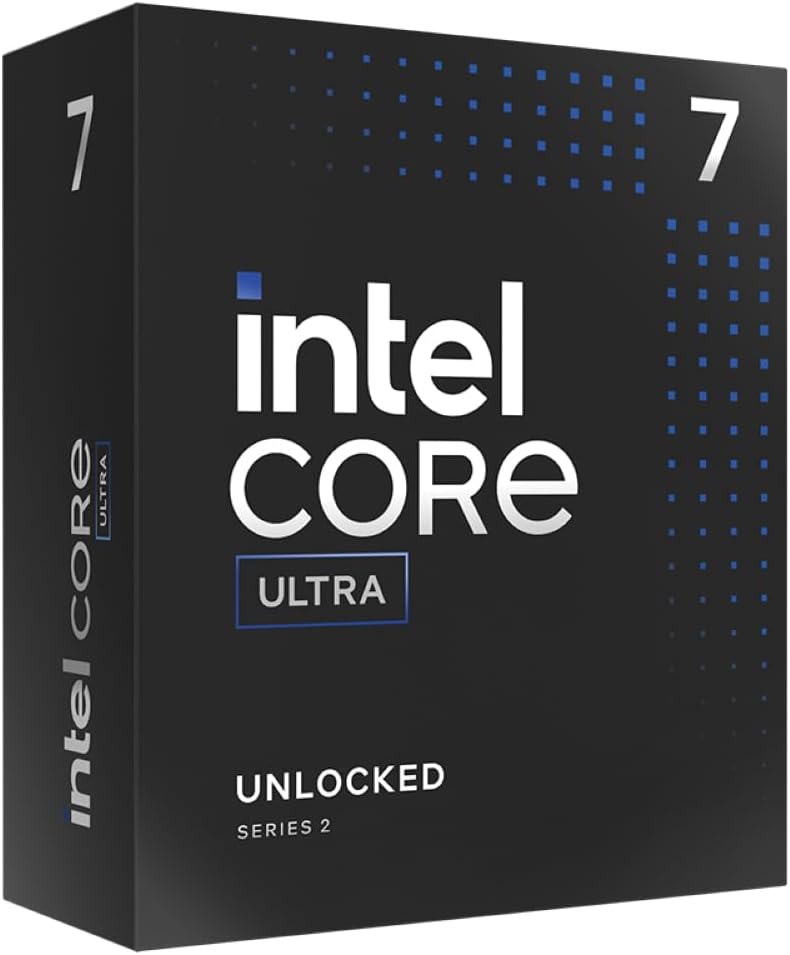
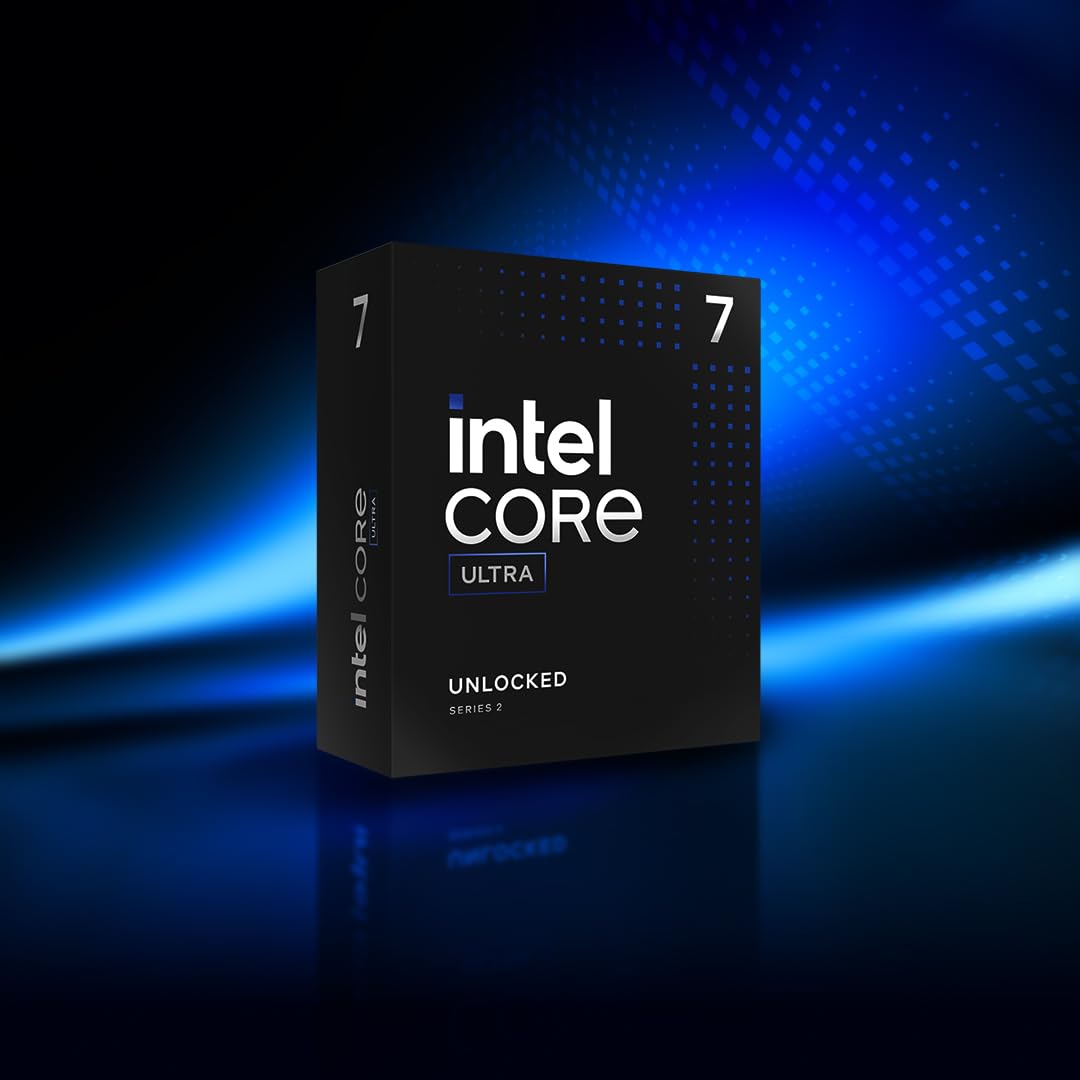
Get ultra-efficient with Intel Core Ultra desktop processors that improve both performance and efficiency so your PC can run cooler, quieter, and quicker.
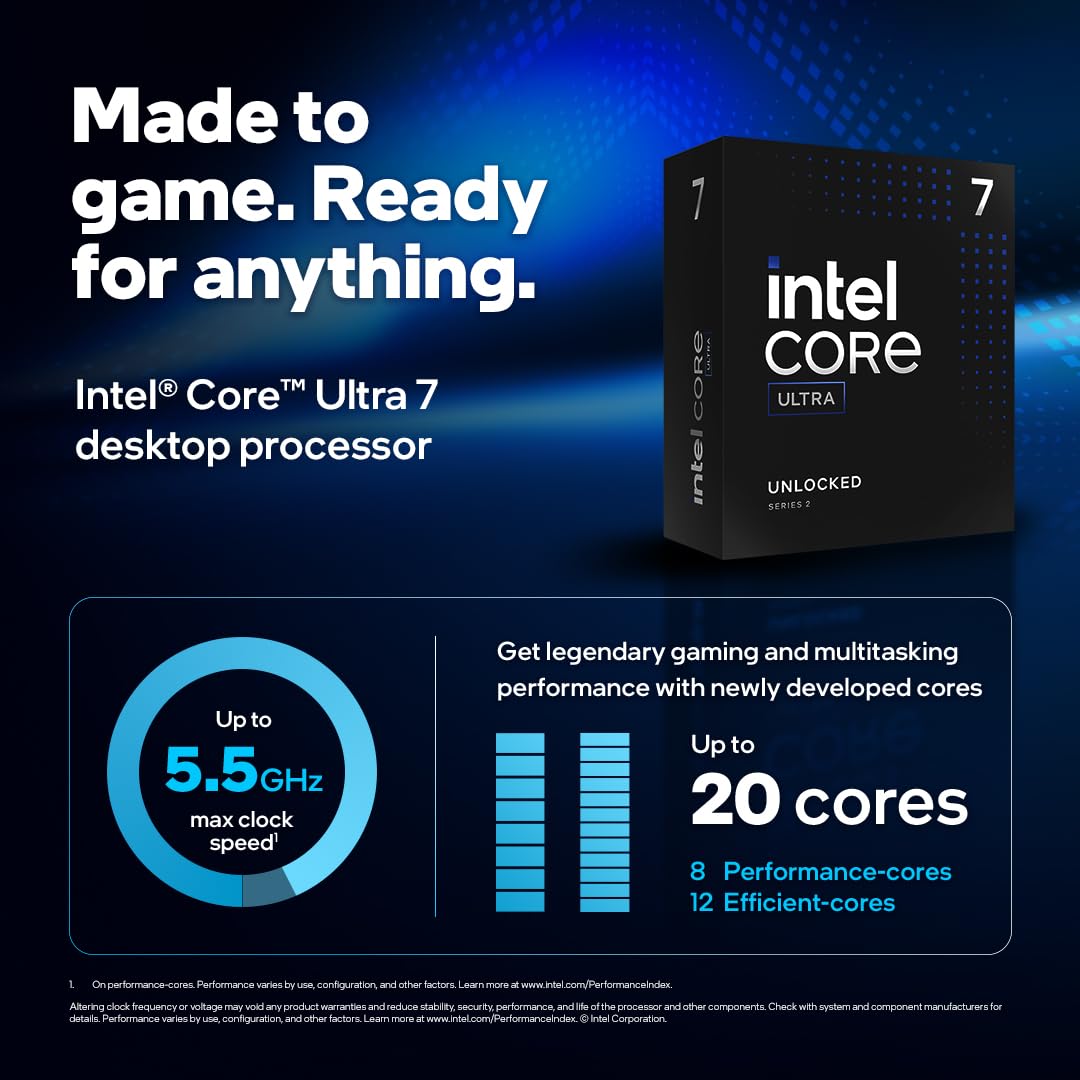
Core and Threads 20 cores (8 P-cores plus 12 E-cores) and 20 threads
Performance Hybrid Architecture Integrates two core microarchitectures, prioritizing and distributing workloads to optimize performance
Performance Unlocked Up to 5.5 GHz unlocked. 36MB Cache
Compatibility Compatible with Intel 800 series chipset-based motherboards
PCIe Express Version Turbo Boost Max Technology 3.0, and PCIe 5.0 and 4.0 support. Intel Optane Memory support. No thermal solution included
Specification: Intel Core Ultra 7 Desktop Processor 265K – 20 cores (8 P-cores + 12 E-cores) up to 5.5 GHz
Processor
5.5 GHz core_i7
Brand
Intel
Item model number
Intel® Core™ Ultra 7
Item Weight
2.8 ounces
Product Dimensions
9.17 x 4.65 x 0.04 inches
Item Dimensions LxWxH
9.17 x 4.65 x 0.04 inches
Processor Brand
Intel
Number of Processors
20
Voltage
28 Volts
Batteries
1 AAAA batteries required.
Manufacturer
Intel
Language
English
Date First Available
October 24, 2024
531 reviews for Intel Core Ultra 7 Desktop Processor 265K – 20 cores (8 P-cores + 12 E-cores) up to 5.5 GHz
4.6out of 5
★★★★★
★★★★★
29
★★★★★
0
★★★★★
0
★★★★★
0
★★★★★
0
Write a review
Show allMost HelpfulHighest RatingLowest Rating
★★★★★
David –
Buen procesador, la CPU cumple con cualquier tarea, se mantiene bastante frío y sobrado para tareas de ofimatica y navegación (alrededor de 5 a 10%), para tareas más exigentes como juegos o trabajo tiene picos de hasta el 50%. No creo que genere cuello de botella para la mayoría de usuarios. Una semana usándolo y no he tenido problemas de estabilidad o errores solo poner y listo. La GPU es suficiente para navegar en el sistema operativo utilizando generalmente usando un 4 a 8% de potencia usando un monitor 1080p.
Helpful(0)Unhelpful(0)You have already voted this
★★★★★
Y –
قوي و اصلي اداء ممتاز في برامج اختبار الاداء
Helpful(0)Unhelpful(0)You have already voted this
★★★★★
Juniorverse –
This CPU is working beautifully for me. I primarily use my PC for programming several applications at once using Visual Studio. Compile times have been cut in half since my last build, from 5 minutes for my largest app to about 2.5 minutes (which includes Dotfuscator EXE encryption, which takes the longest amount of time).
Everything in general is just so fast. My 128GB of RAM and PCIe 5.0 drives help with that, too.
I haven’t had ANY stability problems for the past few weeks since setting up my new build. The CPU stays cool with my CPU cooler and case fans, linked below. It’s a fantastic setup and this is a solid CPU.
Here are some of my recent components in this build, in case you are interested: ASUS ROG Strix Z890-E Gaming WiFi Intel® Z890 LGA 1851 ATX Motherboard Intel Core Ultra 7 Desktop Processor 265K – 20 cores (8 P-cores + 12 E-cores) up to 5.5 GHz CORSAIR Vengeance DDR5 RAM 128GB (2x64GB) 6400MHz Samsung SSD 9100 PRO 4TB, PCIe 5.0×4 M.2 2280, Seq. Read Speeds Up to 14,800MB/s Thermalright HR10 2280 PRO Black SSD Cooler EZDIY-FAB Shield M.2 SSD Heatsink with Build-in 20mm PWM Fan Thermaltake CT120 EX ARGB Sync PC Cooling Fan (3-Fan Pack) Thermalright Assassin Spirit 120 Vision ARGB Black CPU Cooler with LCD screen Thermalright Lga1851 BCF Black CPU Holder,CPU Anti Bending Fixed Bracket HYTE Y70 Upgraded Modern Aesthetic Dual Chamber Panoramic Tempered Glass Mid-Tower ATX Computer Gaming Case
Helpful(0)Unhelpful(0)You have already voted this
★★★★★
Kevin –
Tres bon processeur, permet d’exporter des fichiers tres rapidement sur Lightroom, telechargements peuvent monter jusqu’a 1gb/s sur Steam (je pense etre limite par ma connection) Chauffe pas avec le GAII Lite 240 Performance Noir Avec la 5060 Ti les deux proco et carte sont a 100% sur starcitizen et permettent d’avoir 45fps+ (en ville) graphismes a fond sans dlss sur StarCitzen en 2K Le reste des jeux aucun probleme evidemment
C’est le top pour 250 euros pour la productivite
Helpful(0)Unhelpful(0)You have already voted this
★★★★★
Josiah Allen –
I don’t usually write reviews, but I had to give credit where it’s due. I upgraded to the Intel Core Ultra 7 265K after using an older i7 for years, and the difference is night and day. This thing flies. Whether I’m editing 4K video, running multiple VMs, gaming on ultra settings, or doing 3D rendering in Blender — the 265K handles it all without breaking a sweat.
What impressed me the most was the balance between power and efficiency. Even under heavy load, thermals are very manageable (paired it with a decent cooler), and it doesn’t chug watts like older high-core-count CPUs. The 20-core architecture is perfect for multitasking — I’ve literally had 50 Chrome tabs open, Premiere Pro rendering, and a game running simultaneously. No hiccups.
Also, shoutout to Intel for keeping single-core performance top-notch. Games run crazy smooth, and frame times are tight. I considered going AMD for a minute, but honestly, this chip gave me the best of both worlds: high thread count and insane IPC.
If you’re building a high-performance rig for creative work, content creation, or serious gaming — this CPU is worth every penny. It’s future-proof, it’s fast, and it’s shockingly efficient. 10/10.
Helpful(0)Unhelpful(0)You have already voted this
★★★★★
Mr. A. C. Lee –
Intel’s Core Ultra 7 265K is a bold step into the Arrow Lake generation, blending high efficiency with solid multi-core muscle. With 8 performance cores and 12 efficient cores, it’s built for demanding productivity tasks and moderate gaming, though it doesn’t quite dethrone the competition in every category.
Performance Highlights:
Boosts up to 5.5GHz on P-cores and 4.6GHz on E-cores, delivering snappy responsiveness.
30MB of L3 cache and improved L2 cache per core help with multitasking and heavy workloads.
Great for rendering, encoding, and synthetic benchmarks—especially in multi-threaded scenarios.
Gaming Caveats:
While capable, it trails behind AMD’s X3D chips and even Intel’s own 14th-gen CPUs in some titles.
Performance can vary depending on BIOS optimization and Windows scheduling—some games show noticeable dips.
Efficiency & Thermals:
Built on TSMC’s 3nm process, it runs cooler and draws less power than its predecessors.
Stays under 85°C with a decent cooler, even under full load.
Platform Notes:
Requires a new LGA1851 motherboard, which adds to upgrade costs.
Compatible with existing coolers, but benefits from faster DDR5 RAM and PCIe Gen 5 support.
Some may see this as sub standard to the X3D CPU’s but when you’re running at high resolutions like 4K, the difference is not noticeable with modern GPU’s (I’m running a 5080). For other tasks aside from gaming, this thing really covers all angles. Easy to install, typical for Intel.
Helpful(0)Unhelpful(0)You have already voted this
★★★★★
Blaydese –
Solid Choice for a stable use. Typically, reviews are skipped, but the Intel Core Ultra 7 265K is a standout that demands recognition. As an upgrade from an aging i7, it’s been a transformative experience – the performance leap is simply incredible. This processor devours any workload thrown its way. From intensive 4K video editing and running multiple virtual machines, to pushing games to their ultra limits and complex 3D rendering in Blender, the 265K manages it all without breaking a sweat. The true marvel lies in its blend of power and efficiency. Even when pushed to its limits (with a solid cooling solution), the thermals stay exceptionally cool, unlike the power-hungry nature of older, high-core CPUs. The 20-core design is a masterclass in multitasking – imagine flawlessly running 50 Chrome tabs, a Premiere Pro render, and a game simultaneously. This chip makes it a reality. And let’s not forget the outstanding single-core performance from Intel. Gaming is exceptionally smooth, with rock-solid frame times. Initial thoughts of exploring an AMD alternative quickly faded – this chip truly offers the best of both worlds: abundant threading alongside phenomenal instructions per cycle.
Theres a lot of hearsay and slander about these processors. Some of the criticism is deserved but most isnt.
I set this up on a z870m aorus elite wifi7 and after setup and drivers it ran great. But, if yiu want it to run fantastic you need to run the intel optimization software. Its simple, install and click optimize. It automatically undervolts the cpu and tweaks the timings while staying in factory spec. The results are VERY impressive without the need to overclock. Unoptimezed passmark: ~51000 Optimized passmark: ~60000 For reference, One of my coworkers has an i9-14900kf and he is touching right at 62000 for passmark. The 265k pulls less than half the power when optimezed and comes that close to that beast of a cpu. I dont care who you are, thats a great result. Especially when you compare prices, the 14900kf goes for around $600 but you can get the 265k for around $300. That is a bargain.
Cinebench and geekbench run well and it handles complex tasks and gaming like a dream.
I honestly recommend this cpu as an all around processor. It doesnt excell at any one thing but it does a great job a t a lot of things. I use my computer for work, autodesk, gaming, and entertainment so it works really well.
Helpful(0)Unhelpful(0)You have already voted this
★★★★★
Another Customer –
The Gaming performance is decent, the CPU is stable, and it doesn’t run hot or consume a ton of power. In Gaming it beats on and beats out older 14nm Intel processors, and it can go toe to toe with Alder Lake processors. I haven’t checked out the performance of the Integrated Graphics, but it is supposedly way better than what Intel had used for years with their Core i desktop processors.
Where this processor really shines is with workstation type tasks. Pound for pound and dollar for dollar there isn’t a better value. I ran a number of benchmarks such as a few different versions of Cinebench and the benchmark numbers this thing puts out is amazing. The Skymont based E-Cores on these Arrow Lake processors are greatly improved over the Gracemont E-Cores that were used in Raptor Lake and Alder Lake.
The reason I bought this is I was forced to buy a motherboard with a 5090, and I decided to upgrade my Daughter’s computer which had a Core i9-9900k. I gave her a choice between Intel and AMD Ryzen, and she picked Intel. Since I had a spare motherboard for both platforms, I decided on this processor. The Core Ultra 9 285k would have been nice, but I didn’t see a reason to pay almost twice as much for four extra E-Cores and slightly higher clock frequencies.
Given a choice for my own system, I probably wouldn’t buy one of these unless I needed something cheap for CAD, Premiere Pro, or something that can leverage Quick-Sync. What I dislike the most is not the CPU, but the platform. Intel plans to release Arrow Lake refresh processors for this platform, then they’ll ditch it for another socket with Panther/Nova Lake. At least AMD is going to squeeze out Zen 6 for socket AM5.
Overall this is a good processor. In some ways it reminds me of the workstation type value the old FX-8150 and FX-8350 brought to the table, but it doesn’t have all of the heat and power consumption issues that came with those processors.
Helpful(0)Unhelpful(0)You have already voted this
★★★★★
Brian Merlin –
If you watch certain popular YouTube tech channels and read the hivemind babble at a certain site that rhymes with “head hit”, then you would believe that computers have no other purpose in this world but to play games. In that regard, there is no denying that AMD excels at building CPUs that out-game Intel (although, the margins are not as great as they want you to believe), but Intel excels in productivity tasks which is far more important than getting a few more frames in whatever the latest and greatest AAA game is. I mean, AMD uses computers to design and build their CPUs for all those gamey people (yes, some of them do stink – attitudes anyway), so productivity is king. Intel took a pretty good beat down for the issues with 13th and 14th generation CPUs and stumbled out of the gate with these Core Ultra chips, but these problems are blown out of proportion by the aforementioned outlets and I have not seen much in the way of retractions when Intel admitted (and fixed) the problems with this current gen, so be careful where you get your information. If you are considering buying this CPU, there are two videos I highly recommend watching. Go to YouTube and search “Is The Intel Core Ultra 7 265K Really That Bad? Blackbird PC”, and “We’re looking at it ALL wrong…AMD Ryzen 9900x vs Intel Core Ultra 7 265k Tech Notice”. These are two YouTubers who provide proper objective results without all the drama and hyperbole of the popular channels who are just feeding the “head hit” beast and working their own personal agendas. I have run a few synthetic benchmarks and performance was very good, but I prefer real world results like video compression with Handbrake, which produced some seriously impressive numbers. The time it takes to process a 2-pass encode for Blu Ray files is about 50% -60% less than it took my i5 10600k, and it stays pretty cool with the highest temps on some of the cores hitting 84C with a Thermalright Phantom Spirit cooler. Even though my temps were perfectly fine out of the box, I still like to keep things as cool as possible and I have undervolted to a stable – 0.075. The Core Ultra chips benefit greatly from faster RAM, and 8000MHz seems to be the stable sweet spot from all the reviews I have watched, but I opted for less expensive 7200MHz which is more than adequate for a home setup. If there are concerns about CPU bending like previous gens, then look for motherboards that utilize the new reduced load ILM (RL-ILM). The initial release price was a bit tough to swallow, but now they are very budget-friendly and pretty much a no-brainer if you like to do things with your PC other than play games.
Helpful(0)Unhelpful(0)You have already voted this
★★★★★
ipcmarcos –
Worked Great, Thanks
Helpful(0)Unhelpful(0)You have already voted this
★★★★★
Very good case solid and looks premium quality. –
A great chip to use for content creation paired with nVidia 5th generation GPU.
Helpful(0)Unhelpful(0)You have already voted this
★★★★★
robysan –
Worked Great, Thanks
Helpful(0)Unhelpful(0)You have already voted this
★★★★★
robysan –
A great chip to use for content creation paired with nVidia 5th generation GPU.
Helpful(0)Unhelpful(0)You have already voted this
★★★★★
Sandra –
Ich habe diese CPU aufgrund der Testergebnisse von PC Games Hardware und dem sehr guten Preis- und Leistungsverhältnis gewählt. Da ich von einem Core i5-System der ersten Generation komme, ist der Leistungssprung natürlich selbsterklärend. Unter Windows 11 läuft alles sehr schnell. Aktuelle Games spiele ich zur Zeit nicht, sondern schwelge höchstens einmal in der Vergangenheit an Spielen wie Half Life 2. Was mich sehr beeindruckt ist dahingehend die Tatsache, dass dieses Spiel (oder auch Doom) flüssig über die integrierte GPU zu spielen ist; also gänzlich ohne weitere Grafikkarte. Dies ist aber mehr ein nebensächlicher Aspekt, denn eigentlich wollte ich ein flottes System, welches Windows 11 unterstützt.
Ich bin sehr zufrieden und kann die CPU empfehlen. Keine Abstürze oder irgendwelche Ruckler. Einfach nur Top! Allerdings habe ich auch keinen Vergleich zu den AMD Teilen. Hier scheint es ja auch sehr gute Entwicklungen gegeben zu haben, die es “damals” nicht zu vermuten gab 😉
Helpful(0)Unhelpful(0)You have already voted this
★★★★★
李鐘成 –
A great chip to use for content creation paired with nVidia 5th generation GPU.
Helpful(0)Unhelpful(0)You have already voted this
★★★★★
Schuebli –
Produto excelente! Vi diversos vídeos sobre o processador. Comprei uma Placa mãe Asus Rog Strix Z790-E nos EUA pra esse Ultra 7 265K, mas ainda não recebi… Mas recebi o Ultra 7 aqui pela Amazon, tudo certinho, e rápido.
Helpful(0)Unhelpful(0)You have already voted this
★★★★★
Craigc –
Userbenchmark gave it an “Outstanding at 135%.” Very quick with video encoding. Runs cool. Great with Games. Also Stable with no errors or freeze ups in over a year. enough power to run multiple processes with ease.
Helpful(0)Unhelpful(0)You have already voted this
★★★★★
Craigc –
If you watch certain popular YouTube tech channels and read the hivemind babble at a certain site that rhymes with “head hit”, then you would believe that computers have no other purpose in this world but to play games. In that regard, there is no denying that AMD excels at building CPUs that out-game Intel (although, the margins are not as great as they want you to believe), but Intel excels in productivity tasks which is far more important than getting a few more frames in whatever the latest and greatest AAA game is. I mean, AMD uses computers to design and build their CPUs for all those gamey people (yes, some of them do stink – attitudes anyway), so productivity is king. Intel took a pretty good beat down for the issues with 13th and 14th generation CPUs and stumbled out of the gate with these Core Ultra chips, but these problems are blown out of proportion by the aforementioned outlets and I have not seen much in the way of retractions when Intel admitted (and fixed) the problems with this current gen, so be careful where you get your information. If you are considering buying this CPU, there are two videos I highly recommend watching. Go to YouTube and search “Is The Intel Core Ultra 7 265K Really That Bad? Blackbird PC”, and “We’re looking at it ALL wrong…AMD Ryzen 9900x vs Intel Core Ultra 7 265k Tech Notice”. These are two YouTubers who provide proper objective results without all the drama and hyperbole of the popular channels who are just feeding the “head hit” beast and working their own personal agendas. I have run a few synthetic benchmarks and performance was very good, but I prefer real world results like video compression with Handbrake, which produced some seriously impressive numbers. The time it takes to process a 2-pass encode for Blu Ray files is about 50% -60% less than it took my i5 10600k, and it stays pretty cool with the highest temps on some of the cores hitting 84C with a Thermalright Phantom Spirit cooler. Even though my temps were perfectly fine out of the box, I still like to keep things as cool as possible and I have undervolted to a stable – 0.075. The Core Ultra chips benefit greatly from faster RAM, and 8000MHz seems to be the stable sweet spot from all the reviews I have watched, but I opted for less expensive 7200MHz which is more than adequate for a home setup. If there are concerns about CPU bending like previous gens, then look for motherboards that utilize the new reduced load ILM (RL-ILM). The initial release price was a bit tough to swallow, but now they are very budget-friendly and pretty much a no-brainer if you like to do things with your PC other than play games.
Helpful(0)Unhelpful(0)You have already voted this
★★★★★
Schuebli –
Tutto ok, molto veloce e stabile, non scalda molto
Helpful(0)Unhelpful(0)You have already voted this
★★★★★
Craigc –
I am not one to be on the bleeding edge of tech especially knowing the LGA-1851 socket will not last 3 gens like the LGA-1700. However there were too many new benefits for me. Specifically the 4 additional PCIe 5 lanes for faster Nvme speeds as well as Built in Thunderbolt, and running less hot. I had a Z790 with a 14700k that ran very hot and realizing this one may also run hot, I opted for a 360 AIO instead of the 280 push/pull rad I had on the 14700k. Overall, the initial benchmarks are better than the 14700, not hugely substantial, but still outperforms. The z890 also outperforms the Z790. I also benched just the chip and the new GPU which is impressive for an on chip GPU. They have learned a lot from their ARC graphics and the tech and drivers have gotten better. The graphics are a vast improvement over their other built in GPUs. I happened to use a separate video card in daily use, but wanted to highlight the improvements since they were noticeable IMO. The GPU obviously doesnt compare to a dedicated GPU, however for business users and even some light gaming you can be happy with its performance. This is a good solid CPU upgrade regardless of whether you have a dedicated GPU or not and it runs a lot cooler at slightly better cpu performance. I was already using some fast DDR5 so it was an easy upgrade for me.
Helpful(0)Unhelpful(0)You have already voted this
★★★★★
Richard3107 –
Ich habe diese CPU aufgrund der Testergebnisse von PC Games Hardware und dem sehr guten Preis- und Leistungsverhältnis gewählt. Da ich von einem Core i5-System der ersten Generation komme, ist der Leistungssprung natürlich selbsterklärend. Unter Windows 11 läuft alles sehr schnell. Aktuelle Games spiele ich zur Zeit nicht, sondern schwelge höchstens einmal in der Vergangenheit an Spielen wie Half Life 2. Was mich sehr beeindruckt ist dahingehend die Tatsache, dass dieses Spiel (oder auch Doom) flüssig über die integrierte GPU zu spielen ist; also gänzlich ohne weitere Grafikkarte. Dies ist aber mehr ein nebensächlicher Aspekt, denn eigentlich wollte ich ein flottes System, welches Windows 11 unterstützt.
Ich bin sehr zufrieden und kann die CPU empfehlen. Keine Abstürze oder irgendwelche Ruckler. Einfach nur Top! Allerdings habe ich auch keinen Vergleich zu den AMD Teilen. Hier scheint es ja auch sehr gute Entwicklungen gegeben zu haben, die es “damals” nicht zu vermuten gab 😉
Tutto ok, molto veloce e stabile, non scalda molto
Helpful(0)Unhelpful(0)You have already voted this
★★★★★
Richard3107 –
Userbenchmark gave it an “Outstanding at 135%.” Very quick with video encoding. Runs cool. Great with Games. Also Stable with no errors or freeze ups in over a year. enough power to run multiple processes with ease.
Helpful(0)Unhelpful(0)You have already voted this
★★★★★
Brian Merlin –
Ich habe diese CPU aufgrund der Testergebnisse von PC Games Hardware und dem sehr guten Preis- und Leistungsverhältnis gewählt. Da ich von einem Core i5-System der ersten Generation komme, ist der Leistungssprung natürlich selbsterklärend. Unter Windows 11 läuft alles sehr schnell. Aktuelle Games spiele ich zur Zeit nicht, sondern schwelge höchstens einmal in der Vergangenheit an Spielen wie Half Life 2. Was mich sehr beeindruckt ist dahingehend die Tatsache, dass dieses Spiel (oder auch Doom) flüssig über die integrierte GPU zu spielen ist; also gänzlich ohne weitere Grafikkarte. Dies ist aber mehr ein nebensächlicher Aspekt, denn eigentlich wollte ich ein flottes System, welches Windows 11 unterstützt.
Ich bin sehr zufrieden und kann die CPU empfehlen. Keine Abstürze oder irgendwelche Ruckler. Einfach nur Top! Allerdings habe ich auch keinen Vergleich zu den AMD Teilen. Hier scheint es ja auch sehr gute Entwicklungen gegeben zu haben, die es “damals” nicht zu vermuten gab 😉
Helpful(0)Unhelpful(0)You have already voted this
★★★★★
Richard3107 –
För priset är det ett monster. Sval. Har en kylare som kostade under 500 spänn men det går att ha alla chassifläktar OCH cpu-fläkten avstängda vid vanligt surfande etc. (!!) Och då är CPUn under 50 grader. Blir cirka 36 grader med fläkten i ett riktigt tyst läge. Ja, den är säkert 3% långsammare i 1080p-spelande än AMD, men det är väl också det enda den INTE är bäst på.

 Hybzone












David –
Buen procesador, la CPU cumple con cualquier tarea, se mantiene bastante frío y sobrado para tareas de ofimatica y navegación (alrededor de 5 a 10%), para tareas más exigentes como juegos o trabajo tiene picos de hasta el 50%. No creo que genere cuello de botella para la mayoría de usuarios. Una semana usándolo y no he tenido problemas de estabilidad o errores solo poner y listo. La GPU es suficiente para navegar en el sistema operativo utilizando generalmente usando un 4 a 8% de potencia usando un monitor 1080p.
Y –
قوي و اصلي اداء ممتاز في برامج اختبار الاداء
Juniorverse –
This CPU is working beautifully for me. I primarily use my PC for programming several applications at once using Visual Studio. Compile times have been cut in half since my last build, from 5 minutes for my largest app to about 2.5 minutes (which includes Dotfuscator EXE encryption, which takes the longest amount of time).
Everything in general is just so fast. My 128GB of RAM and PCIe 5.0 drives help with that, too.
I haven’t had ANY stability problems for the past few weeks since setting up my new build. The CPU stays cool with my CPU cooler and case fans, linked below. It’s a fantastic setup and this is a solid CPU.
Here are some of my recent components in this build, in case you are interested:
ASUS ROG Strix Z890-E Gaming WiFi Intel® Z890 LGA 1851 ATX Motherboard
Intel Core Ultra 7 Desktop Processor 265K – 20 cores (8 P-cores + 12 E-cores) up to 5.5 GHz
CORSAIR Vengeance DDR5 RAM 128GB (2x64GB) 6400MHz
Samsung SSD 9100 PRO 4TB, PCIe 5.0×4 M.2 2280, Seq. Read Speeds Up to 14,800MB/s
Thermalright HR10 2280 PRO Black SSD Cooler
EZDIY-FAB Shield M.2 SSD Heatsink with Build-in 20mm PWM Fan
Thermaltake CT120 EX ARGB Sync PC Cooling Fan (3-Fan Pack)
Thermalright Assassin Spirit 120 Vision ARGB Black CPU Cooler with LCD screen
Thermalright Lga1851 BCF Black CPU Holder,CPU Anti Bending Fixed Bracket
HYTE Y70 Upgraded Modern Aesthetic Dual Chamber Panoramic Tempered Glass Mid-Tower ATX Computer Gaming Case
Kevin –
Tres bon processeur, permet d’exporter des fichiers tres rapidement sur Lightroom, telechargements peuvent monter jusqu’a 1gb/s sur Steam (je pense etre limite par ma connection)
Chauffe pas avec le GAII Lite 240 Performance Noir
Avec la 5060 Ti les deux proco et carte sont a 100% sur starcitizen et permettent d’avoir 45fps+ (en ville) graphismes a fond sans dlss sur StarCitzen en 2K
Le reste des jeux aucun probleme evidemment
C’est le top pour 250 euros pour la productivite
Josiah Allen –
I don’t usually write reviews, but I had to give credit where it’s due. I upgraded to the Intel Core Ultra 7 265K after using an older i7 for years, and the difference is night and day. This thing flies. Whether I’m editing 4K video, running multiple VMs, gaming on ultra settings, or doing 3D rendering in Blender — the 265K handles it all without breaking a sweat.
What impressed me the most was the balance between power and efficiency. Even under heavy load, thermals are very manageable (paired it with a decent cooler), and it doesn’t chug watts like older high-core-count CPUs. The 20-core architecture is perfect for multitasking — I’ve literally had 50 Chrome tabs open, Premiere Pro rendering, and a game running simultaneously. No hiccups.
Also, shoutout to Intel for keeping single-core performance top-notch. Games run crazy smooth, and frame times are tight. I considered going AMD for a minute, but honestly, this chip gave me the best of both worlds: high thread count and insane IPC.
If you’re building a high-performance rig for creative work, content creation, or serious gaming — this CPU is worth every penny. It’s future-proof, it’s fast, and it’s shockingly efficient. 10/10.
Mr. A. C. Lee –
Intel’s Core Ultra 7 265K is a bold step into the Arrow Lake generation, blending high efficiency with solid multi-core muscle. With 8 performance cores and 12 efficient cores, it’s built for demanding productivity tasks and moderate gaming, though it doesn’t quite dethrone the competition in every category.
Performance Highlights:
Boosts up to 5.5GHz on P-cores and 4.6GHz on E-cores, delivering snappy responsiveness.
30MB of L3 cache and improved L2 cache per core help with multitasking and heavy workloads.
Great for rendering, encoding, and synthetic benchmarks—especially in multi-threaded scenarios.
Gaming Caveats:
While capable, it trails behind AMD’s X3D chips and even Intel’s own 14th-gen CPUs in some titles.
Performance can vary depending on BIOS optimization and Windows scheduling—some games show noticeable dips.
Efficiency & Thermals:
Built on TSMC’s 3nm process, it runs cooler and draws less power than its predecessors.
Stays under 85°C with a decent cooler, even under full load.
Platform Notes:
Requires a new LGA1851 motherboard, which adds to upgrade costs.
Compatible with existing coolers, but benefits from faster DDR5 RAM and PCIe Gen 5 support.
Some may see this as sub standard to the X3D CPU’s but when you’re running at high resolutions like 4K, the difference is not noticeable with modern GPU’s (I’m running a 5080). For other tasks aside from gaming, this thing really covers all angles. Easy to install, typical for Intel.
Blaydese –
Solid Choice for a stable use. Typically, reviews are skipped, but the Intel Core Ultra 7 265K is a standout that demands recognition. As an upgrade from an aging i7, it’s been a transformative experience – the performance leap is simply incredible. This processor devours any workload thrown its way. From intensive 4K video editing and running multiple virtual machines, to pushing games to their ultra limits and complex 3D rendering in Blender, the 265K manages it all without breaking a sweat. The true marvel lies in its blend of power and efficiency. Even when pushed to its limits (with a solid cooling solution), the thermals stay exceptionally cool, unlike the power-hungry nature of older, high-core CPUs. The 20-core design is a masterclass in multitasking – imagine flawlessly running 50 Chrome tabs, a Premiere Pro render, and a game simultaneously. This chip makes it a reality. And let’s not forget the outstanding single-core performance from Intel. Gaming is exceptionally smooth, with rock-solid frame times. Initial thoughts of exploring an AMD alternative quickly faded – this chip truly offers the best of both worlds: abundant threading alongside phenomenal instructions per cycle.
きまろ –
アマゾン配送にて箱ボコボコで到着がマイナス点・・・
アマゾンさんはもうちょっと梱包なんとかしてくれ、袋の下にCPU上に電源じゃあボコボコになるのわかるやろ・・・
CPUの性能としては、インテル色々あって売れてないのかかなり値段下がってます
コスパだけ見るとRyzenなにそれってレベルになってる気がしますね
まだそんなに長期間使ってるわけじゃないですが、安定してます。
発熱もそこまでなのかな?
今回ゲーム性能が微妙と聞いてたのですがそこまで・・・?って感じはします。
一般ゲーマーなら値段下がってるこのCPUでいいんじゃないかな
William –
Theres a lot of hearsay and slander about these processors. Some of the criticism is deserved but most isnt.
I set this up on a z870m aorus elite wifi7 and after setup and drivers it ran great.
But, if yiu want it to run fantastic you need to run the intel optimization software.
Its simple, install and click optimize. It automatically undervolts the cpu and tweaks the timings while staying in factory spec.
The results are VERY impressive without the need to overclock.
Unoptimezed passmark: ~51000
Optimized passmark: ~60000
For reference, One of my coworkers has an i9-14900kf and he is touching right at 62000 for passmark.
The 265k pulls less than half the power when optimezed and comes that close to that beast of a cpu. I dont care who you are, thats a great result.
Especially when you compare prices, the 14900kf goes for around $600 but you can get the 265k for around $300.
That is a bargain.
Cinebench and geekbench run well and it handles complex tasks and gaming like a dream.
I honestly recommend this cpu as an all around processor. It doesnt excell at any one thing but it does a great job a t a lot of things.
I use my computer for work, autodesk, gaming, and entertainment so it works really well.
Another Customer –
The Gaming performance is decent, the CPU is stable, and it doesn’t run hot or consume a ton of power. In Gaming it beats on and beats out older 14nm Intel processors, and it can go toe to toe with Alder Lake processors. I haven’t checked out the performance of the Integrated Graphics, but it is supposedly way better than what Intel had used for years with their Core i desktop processors.
Where this processor really shines is with workstation type tasks. Pound for pound and dollar for dollar there isn’t a better value. I ran a number of benchmarks such as a few different versions of Cinebench and the benchmark numbers this thing puts out is amazing. The Skymont based E-Cores on these Arrow Lake processors are greatly improved over the Gracemont E-Cores that were used in Raptor Lake and Alder Lake.
The reason I bought this is I was forced to buy a motherboard with a 5090, and I decided to upgrade my Daughter’s computer which had a Core i9-9900k. I gave her a choice between Intel and AMD Ryzen, and she picked Intel. Since I had a spare motherboard for both platforms, I decided on this processor. The Core Ultra 9 285k would have been nice, but I didn’t see a reason to pay almost twice as much for four extra E-Cores and slightly higher clock frequencies.
Given a choice for my own system, I probably wouldn’t buy one of these unless I needed something cheap for CAD, Premiere Pro, or something that can leverage Quick-Sync. What I dislike the most is not the CPU, but the platform. Intel plans to release Arrow Lake refresh processors for this platform, then they’ll ditch it for another socket with Panther/Nova Lake. At least AMD is going to squeeze out Zen 6 for socket AM5.
Overall this is a good processor. In some ways it reminds me of the workstation type value the old FX-8150 and FX-8350 brought to the table, but it doesn’t have all of the heat and power consumption issues that came with those processors.
Brian Merlin –
If you watch certain popular YouTube tech channels and read the hivemind babble at a certain site that rhymes with “head hit”, then you would believe that computers have no other purpose in this world but to play games. In that regard, there is no denying that AMD excels at building CPUs that out-game Intel (although, the margins are not as great as they want you to believe), but Intel excels in productivity tasks which is far more important than getting a few more frames in whatever the latest and greatest AAA game is. I mean, AMD uses computers to design and build their CPUs for all those gamey people (yes, some of them do stink – attitudes anyway), so productivity is king. Intel took a pretty good beat down for the issues with 13th and 14th generation CPUs and stumbled out of the gate with these Core Ultra chips, but these problems are blown out of proportion by the aforementioned outlets and I have not seen much in the way of retractions when Intel admitted (and fixed) the problems with this current gen, so be careful where you get your information. If you are considering buying this CPU, there are two videos I highly recommend watching. Go to YouTube and search “Is The Intel Core Ultra 7 265K Really That Bad? Blackbird PC”, and “We’re looking at it ALL wrong…AMD Ryzen 9900x vs Intel Core Ultra 7 265k Tech Notice”. These are two YouTubers who provide proper objective results without all the drama and hyperbole of the popular channels who are just feeding the “head hit” beast and working their own personal agendas. I have run a few synthetic benchmarks and performance was very good, but I prefer real world results like video compression with Handbrake, which produced some seriously impressive numbers. The time it takes to process a 2-pass encode for Blu Ray files is about 50% -60% less than it took my i5 10600k, and it stays pretty cool with the highest temps on some of the cores hitting 84C with a Thermalright Phantom Spirit cooler. Even though my temps were perfectly fine out of the box, I still like to keep things as cool as possible and I have undervolted to a stable – 0.075. The Core Ultra chips benefit greatly from faster RAM, and 8000MHz seems to be the stable sweet spot from all the reviews I have watched, but I opted for less expensive 7200MHz which is more than adequate for a home setup. If there are concerns about CPU bending like previous gens, then look for motherboards that utilize the new reduced load ILM (RL-ILM). The initial release price was a bit tough to swallow, but now they are very budget-friendly and pretty much a no-brainer if you like to do things with your PC other than play games.
ipcmarcos –
Worked Great, Thanks
Very good case solid and looks premium quality. –
A great chip to use for content creation paired with nVidia 5th generation GPU.
robysan –
Worked Great, Thanks
robysan –
A great chip to use for content creation paired with nVidia 5th generation GPU.
Sandra –
Ich habe diese CPU aufgrund der Testergebnisse von PC Games Hardware und dem sehr guten Preis- und Leistungsverhältnis gewählt. Da ich von einem Core i5-System der ersten Generation komme, ist der Leistungssprung natürlich selbsterklärend. Unter Windows 11 läuft alles sehr schnell. Aktuelle Games spiele ich zur Zeit nicht, sondern schwelge höchstens einmal in der Vergangenheit an Spielen wie Half Life 2. Was mich sehr beeindruckt ist dahingehend die Tatsache, dass dieses Spiel (oder auch Doom) flüssig über die integrierte GPU zu spielen ist; also gänzlich ohne weitere Grafikkarte. Dies ist aber mehr ein nebensächlicher Aspekt, denn eigentlich wollte ich ein flottes System, welches Windows 11 unterstützt.
Ich bin sehr zufrieden und kann die CPU empfehlen. Keine Abstürze oder irgendwelche Ruckler. Einfach nur Top! Allerdings habe ich auch keinen Vergleich zu den AMD Teilen. Hier scheint es ja auch sehr gute Entwicklungen gegeben zu haben, die es “damals” nicht zu vermuten gab 😉
李鐘成 –
A great chip to use for content creation paired with nVidia 5th generation GPU.
Schuebli –
Produto excelente! Vi diversos vídeos sobre o processador. Comprei uma Placa mãe Asus Rog Strix Z790-E nos EUA pra esse Ultra 7 265K, mas ainda não recebi… Mas recebi o Ultra 7 aqui pela Amazon, tudo certinho, e rápido.
Craigc –
Userbenchmark gave it an “Outstanding at 135%.” Very quick with video encoding. Runs cool. Great with Games. Also Stable with no errors or freeze ups in over a year. enough power to run multiple processes with ease.
Craigc –
If you watch certain popular YouTube tech channels and read the hivemind babble at a certain site that rhymes with “head hit”, then you would believe that computers have no other purpose in this world but to play games. In that regard, there is no denying that AMD excels at building CPUs that out-game Intel (although, the margins are not as great as they want you to believe), but Intel excels in productivity tasks which is far more important than getting a few more frames in whatever the latest and greatest AAA game is. I mean, AMD uses computers to design and build their CPUs for all those gamey people (yes, some of them do stink – attitudes anyway), so productivity is king. Intel took a pretty good beat down for the issues with 13th and 14th generation CPUs and stumbled out of the gate with these Core Ultra chips, but these problems are blown out of proportion by the aforementioned outlets and I have not seen much in the way of retractions when Intel admitted (and fixed) the problems with this current gen, so be careful where you get your information. If you are considering buying this CPU, there are two videos I highly recommend watching. Go to YouTube and search “Is The Intel Core Ultra 7 265K Really That Bad? Blackbird PC”, and “We’re looking at it ALL wrong…AMD Ryzen 9900x vs Intel Core Ultra 7 265k Tech Notice”. These are two YouTubers who provide proper objective results without all the drama and hyperbole of the popular channels who are just feeding the “head hit” beast and working their own personal agendas. I have run a few synthetic benchmarks and performance was very good, but I prefer real world results like video compression with Handbrake, which produced some seriously impressive numbers. The time it takes to process a 2-pass encode for Blu Ray files is about 50% -60% less than it took my i5 10600k, and it stays pretty cool with the highest temps on some of the cores hitting 84C with a Thermalright Phantom Spirit cooler. Even though my temps were perfectly fine out of the box, I still like to keep things as cool as possible and I have undervolted to a stable – 0.075. The Core Ultra chips benefit greatly from faster RAM, and 8000MHz seems to be the stable sweet spot from all the reviews I have watched, but I opted for less expensive 7200MHz which is more than adequate for a home setup. If there are concerns about CPU bending like previous gens, then look for motherboards that utilize the new reduced load ILM (RL-ILM). The initial release price was a bit tough to swallow, but now they are very budget-friendly and pretty much a no-brainer if you like to do things with your PC other than play games.
Schuebli –
Tutto ok, molto veloce e stabile, non scalda molto
Craigc –
I am not one to be on the bleeding edge of tech especially knowing the LGA-1851 socket will not last 3 gens like the LGA-1700. However there were too many new benefits for me. Specifically the 4 additional PCIe 5 lanes for faster Nvme speeds as well as Built in Thunderbolt, and running less hot. I had a Z790 with a 14700k that ran very hot and realizing this one may also run hot, I opted for a 360 AIO instead of the 280 push/pull rad I had on the 14700k. Overall, the initial benchmarks are better than the 14700, not hugely substantial, but still outperforms. The z890 also outperforms the Z790. I also benched just the chip and the new GPU which is impressive for an on chip GPU. They have learned a lot from their ARC graphics and the tech and drivers have gotten better. The graphics are a vast improvement over their other built in GPUs. I happened to use a separate video card in daily use, but wanted to highlight the improvements since they were noticeable IMO. The GPU obviously doesnt compare to a dedicated GPU, however for business users and even some light gaming you can be happy with its performance. This is a good solid CPU upgrade regardless of whether you have a dedicated GPU or not and it runs a lot cooler at slightly better cpu performance. I was already using some fast DDR5 so it was an easy upgrade for me.
Richard3107 –
Ich habe diese CPU aufgrund der Testergebnisse von PC Games Hardware und dem sehr guten Preis- und Leistungsverhältnis gewählt. Da ich von einem Core i5-System der ersten Generation komme, ist der Leistungssprung natürlich selbsterklärend. Unter Windows 11 läuft alles sehr schnell. Aktuelle Games spiele ich zur Zeit nicht, sondern schwelge höchstens einmal in der Vergangenheit an Spielen wie Half Life 2. Was mich sehr beeindruckt ist dahingehend die Tatsache, dass dieses Spiel (oder auch Doom) flüssig über die integrierte GPU zu spielen ist; also gänzlich ohne weitere Grafikkarte. Dies ist aber mehr ein nebensächlicher Aspekt, denn eigentlich wollte ich ein flottes System, welches Windows 11 unterstützt.
Ich bin sehr zufrieden und kann die CPU empfehlen. Keine Abstürze oder irgendwelche Ruckler. Einfach nur Top! Allerdings habe ich auch keinen Vergleich zu den AMD Teilen. Hier scheint es ja auch sehr gute Entwicklungen gegeben zu haben, die es “damals” nicht zu vermuten gab 😉
Chaw Koh Yong –
動画編集が比べ物にならないくらい動作軽快、書き出し爆速になりました。4700kのときは書き出す際にフル回転&処理時間は数時間かかっていましたが、更新後は30分もかからずに完了します。組み込んでから半年ほど経過しましたが、ケースファンの回転数はBIOSでカスタマイズしてですが、静かに運用できています。
Very good case solid and looks premium quality. –
It was so good!!!
ipcmarcos –
Tutto ok, molto veloce e stabile, non scalda molto
Richard3107 –
Userbenchmark gave it an “Outstanding at 135%.” Very quick with video encoding. Runs cool. Great with Games. Also Stable with no errors or freeze ups in over a year. enough power to run multiple processes with ease.
Brian Merlin –
Ich habe diese CPU aufgrund der Testergebnisse von PC Games Hardware und dem sehr guten Preis- und Leistungsverhältnis gewählt. Da ich von einem Core i5-System der ersten Generation komme, ist der Leistungssprung natürlich selbsterklärend. Unter Windows 11 läuft alles sehr schnell. Aktuelle Games spiele ich zur Zeit nicht, sondern schwelge höchstens einmal in der Vergangenheit an Spielen wie Half Life 2. Was mich sehr beeindruckt ist dahingehend die Tatsache, dass dieses Spiel (oder auch Doom) flüssig über die integrierte GPU zu spielen ist; also gänzlich ohne weitere Grafikkarte. Dies ist aber mehr ein nebensächlicher Aspekt, denn eigentlich wollte ich ein flottes System, welches Windows 11 unterstützt.
Ich bin sehr zufrieden und kann die CPU empfehlen. Keine Abstürze oder irgendwelche Ruckler. Einfach nur Top! Allerdings habe ich auch keinen Vergleich zu den AMD Teilen. Hier scheint es ja auch sehr gute Entwicklungen gegeben zu haben, die es “damals” nicht zu vermuten gab 😉
Richard3107 –
För priset är det ett monster. Sval. Har en kylare som kostade under 500 spänn men det går att ha alla chassifläktar OCH cpu-fläkten avstängda vid vanligt surfande etc. (!!) Och då är CPUn under 50 grader. Blir cirka 36 grader med fläkten i ett riktigt tyst läge. Ja, den är säkert 3% långsammare i 1080p-spelande än AMD, men det är väl också det enda den INTE är bäst på.